Register Application for Ads & Campaign Integration
Register your app to start integrating Voyant APIs. This setup enables secure identification, flexible ad targeting, and API access for monetization and tracking.
Basic Information
Start by giving your application a name. This helps you identify, organize, and manage your apps easily within the dashboard.
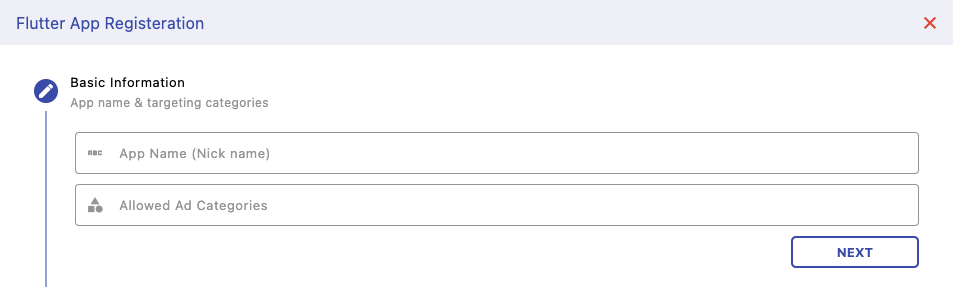
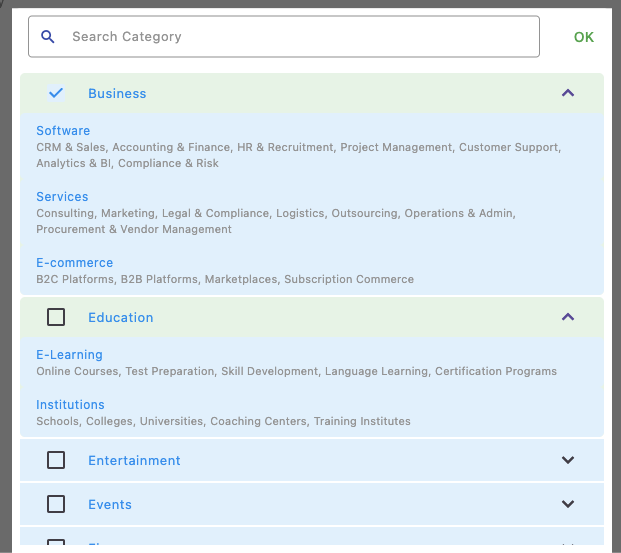
Ad Categories
Select specific ad categories to control what type of ads are shown in your application. This improves ad relevance and enhances user experience.
If you leave this empty, your application will be eligible to receive ads from all available categories , maximizing fill rate and overall revenue potential.
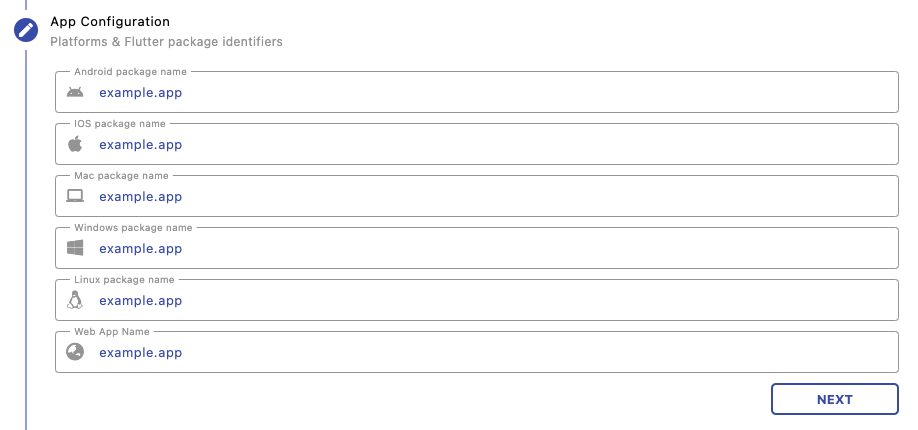
App Configuration
Provide platform-specific package identifiers such as Android package name, iOS bundle ID, or web app name. This ensures accurate tracking, platform targeting, and secure API usage across different environments.
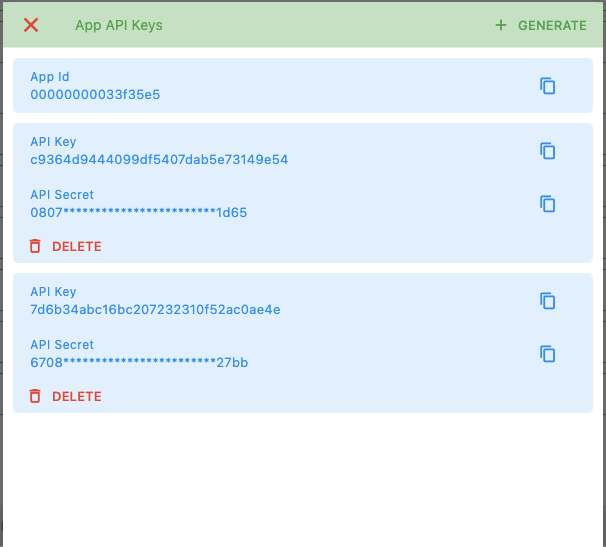
Generate API Keys
Once registered, generate your API keys to start using Voyant services. Each app gets a unique App ID, API Key, and API Secret.
These credentials are required to authenticate API requests, track usage, and securely connect your application with Voyant infrastructure. Keep them safe and never expose them publicly.
Next Steps
Start running and managing campaigns: