Account API Keys & Authentication Setup
Voyant uses account-level API keys for all services. These keys are shared across all your API projects and are required for secure request signing.
🔐 One account → multiple API projects → same credentials
Manage API Keys
View and manage your account-level credentials from the dashboard. These keys are used across all APIs.
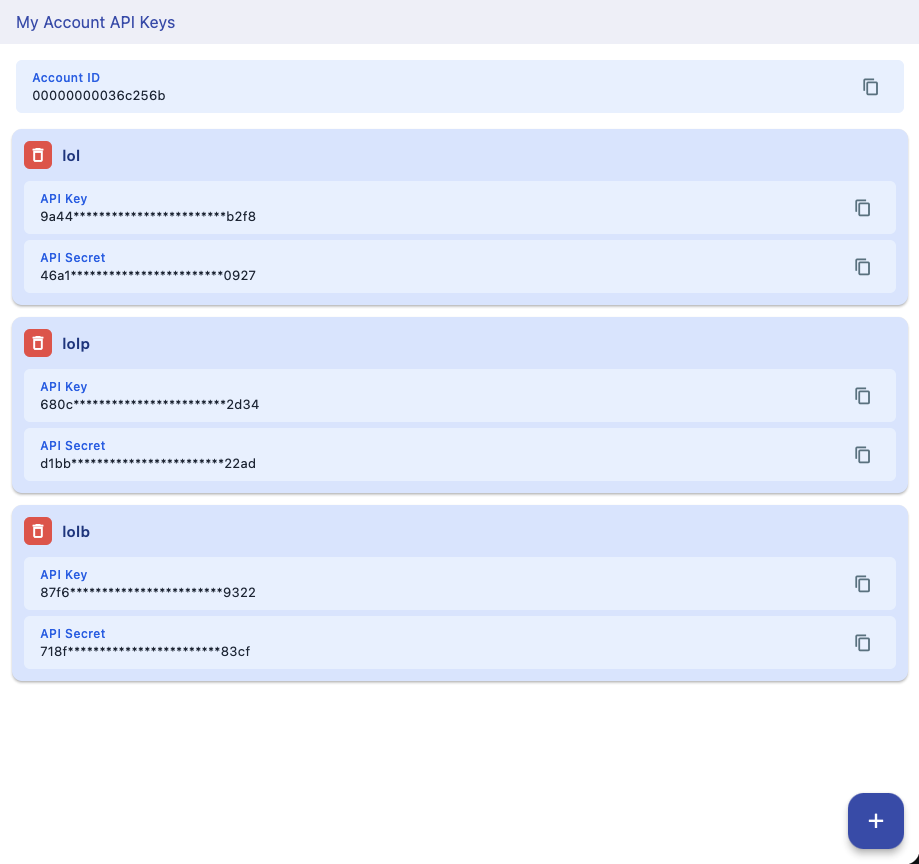
Credentials Overview
- accountId → Your unique account identifier
- apiKey → Public key used in every request
- apiSecret → Private key used for HMAC signing
⚠️ apiSecret must never be exposed in frontend apps
How Authentication Works
Every request is signed using HMAC-SHA256 to ensure authenticity and prevent replay attacks.
payload = { accountId, apiKey, projectId, nonce, timestamp, ...data }

stable = JSON.stringify(sorted(payload))

signature = HMAC_SHA256(stable, apiSecret)
Where These Keys Are Used
- • Text Analysis API
- • NSFW Detection API
- • IP Intelligence API
- • Email API
Best Practices
- • Rotate API keys periodically
- • Never expose apiSecret in browser/mobile apps
- • Use backend proxy for public apps
- • Monitor usage from dashboard
All Voyant APIs use the same credentials - just change the projectId to switch between services.